02 / Work — Ship Primus
Fixing a 20-Year-Old UX Mess: The Ship Primus Redesign Story
How I turned a tangled legacy system into a modern, intuitive logistics tool.
My Role
Lead Product Designer, User Researcher
01 / The Challenge
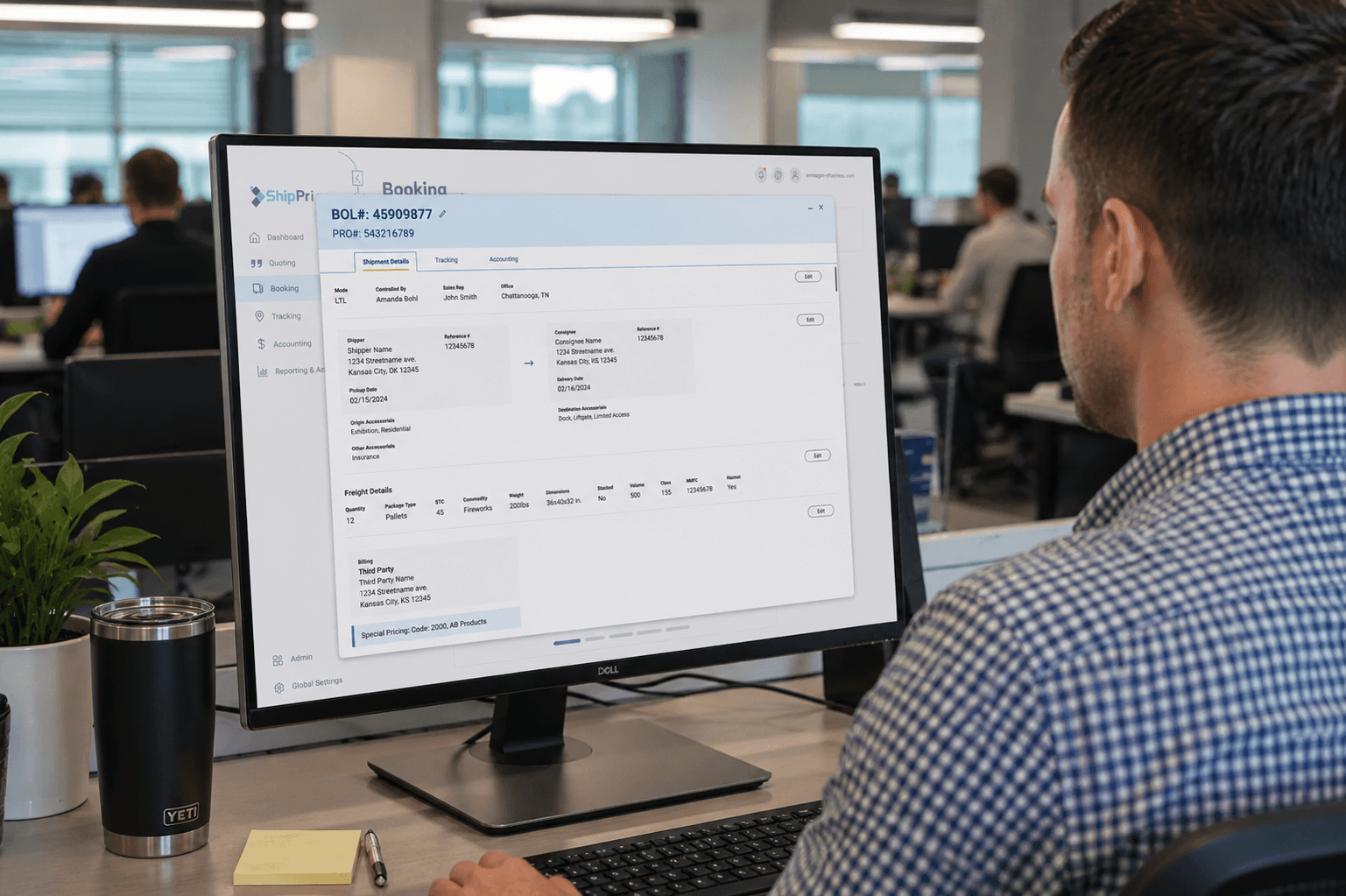
Ship Primus is a highly complex enterprise Transportation Management System (TMS) used by logistics companies to manage their shipping operations. As the Lead Product Designer, I worked directly with the CEO for 8 months to create this brand new TMS application from scratch. This project required the full spectrum of the UX process from initial user research to final pixel-perfect prototyping.
02 / Understanding the Users
When I started, there was an existing Ship Primus product that is used globally by a multitude of different users. I have a background in logistics, so I know that immersive user research is critical. I conducted contextual inquiries by shadowing shipment brokers, shipments operations reps, carrier dispatchers, and carriers (truck drivers) to deeply understand their use cases and pain points in the current TMS system.
“I know this current platform like the back of my hand.”
“There is just too much going on. Usually I only need to find a single tracking note.”
“I can not have my software be the reason that I am behind on these loads.”
03 / The Vision
With the CEO and product team, we established the following OKRs to guide the product vision:
04 / Legacy UI Woes
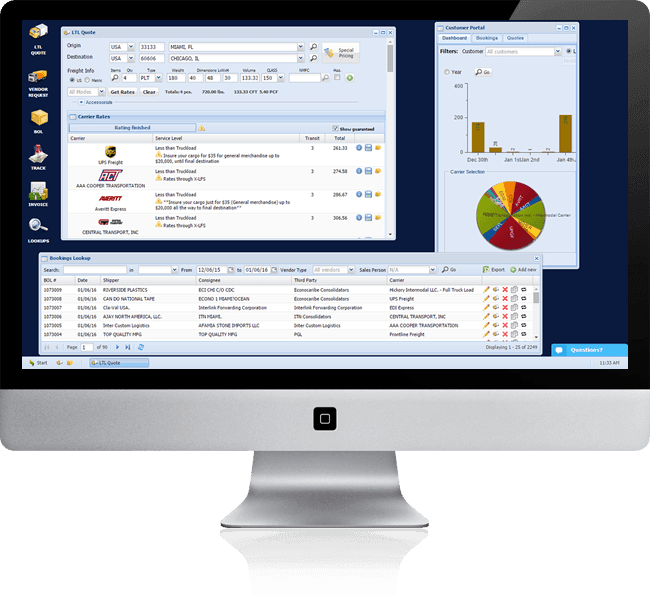
Before embarking on this full redesign, Ship Primus was using a legacy TMS application that had been duct-taped together over decades. The user interface was... a mess.
05 / The Design Process
Over 8 months, I iterated through research, ideation, prototyping, and testing cycles to shape the end-to-end experience for Ship Primus.
User Workflows
I mapped out the key user workflows like scheduling shipments, tracking shipments, managing exceptions, and reporting. This formed the core structure of the product.
Usability Testing
Research started in the field: I shadowed logistics professionals as they worked in the existing software, observing real workflows, workarounds, and points of friction. Those same users became an ongoing testing panel. As designs progressed, I ran continuous usability sessions with interactive prototypes, validating new concepts against their day-to-day realities and iterating quickly.
06 / Wireframes and Design System
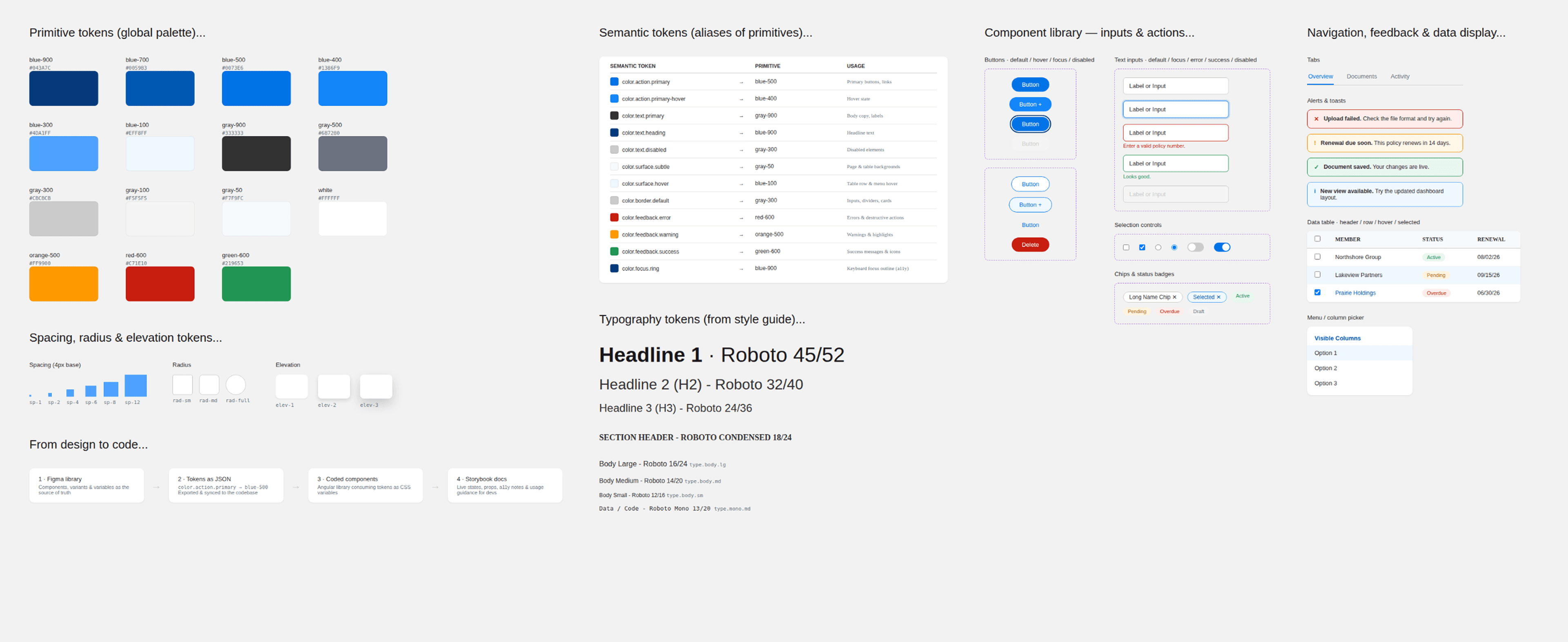
I began by building a true enterprise design system, not just a style guide. I established a token architecture where primitive values map to semantic tokens like color.action.primary, keeping the system consistent and scalable. I built the component library in Figma with full variants and states, and then created coded Angular components completely on my own. I then documented these components in Storybook and handed off the repo to the dev team. From there, I moved back into low-fidelity wireframes to explore layouts, navigation, and interactions across core workflows.
07 / Getting Truckload Quotes
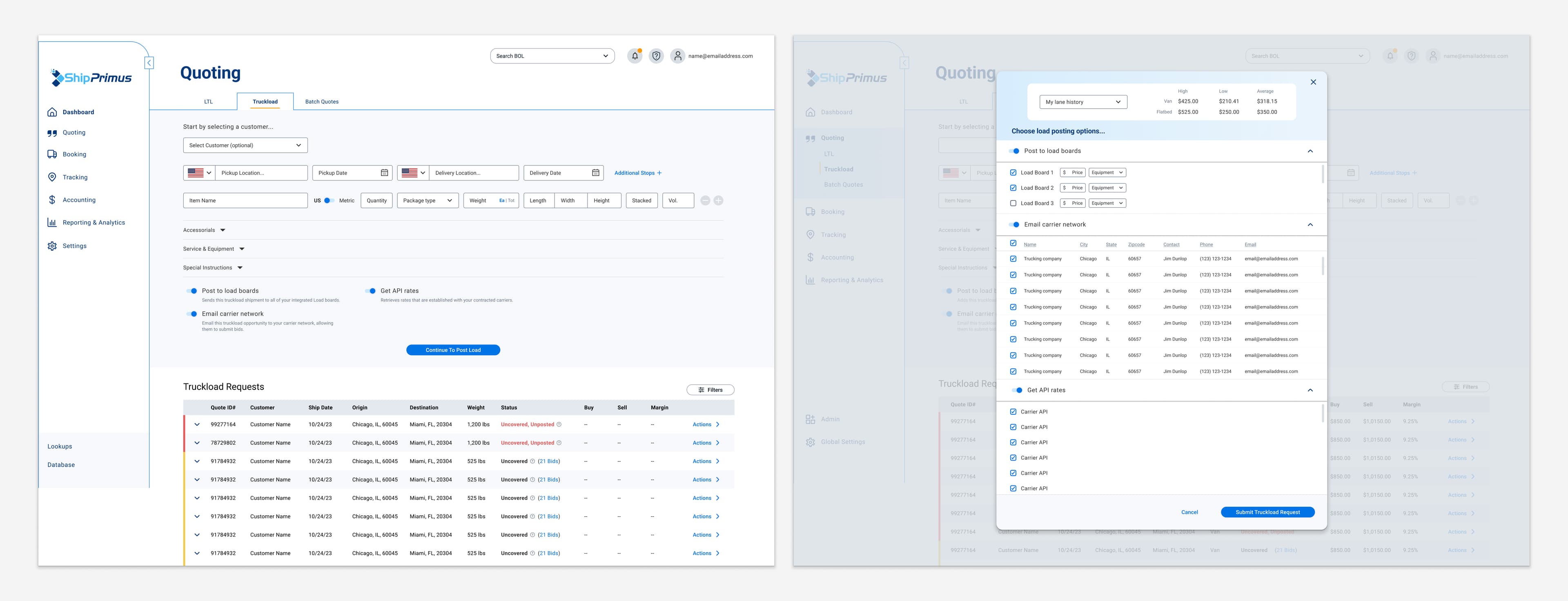
I designed an elegant solution that streamlines the inherently complex process of getting truckload quotes into a simplified flow within a unified interface. With just a few inputs for shipment details, users can instantly request and view quotes from the integrated carrier network and load boards.
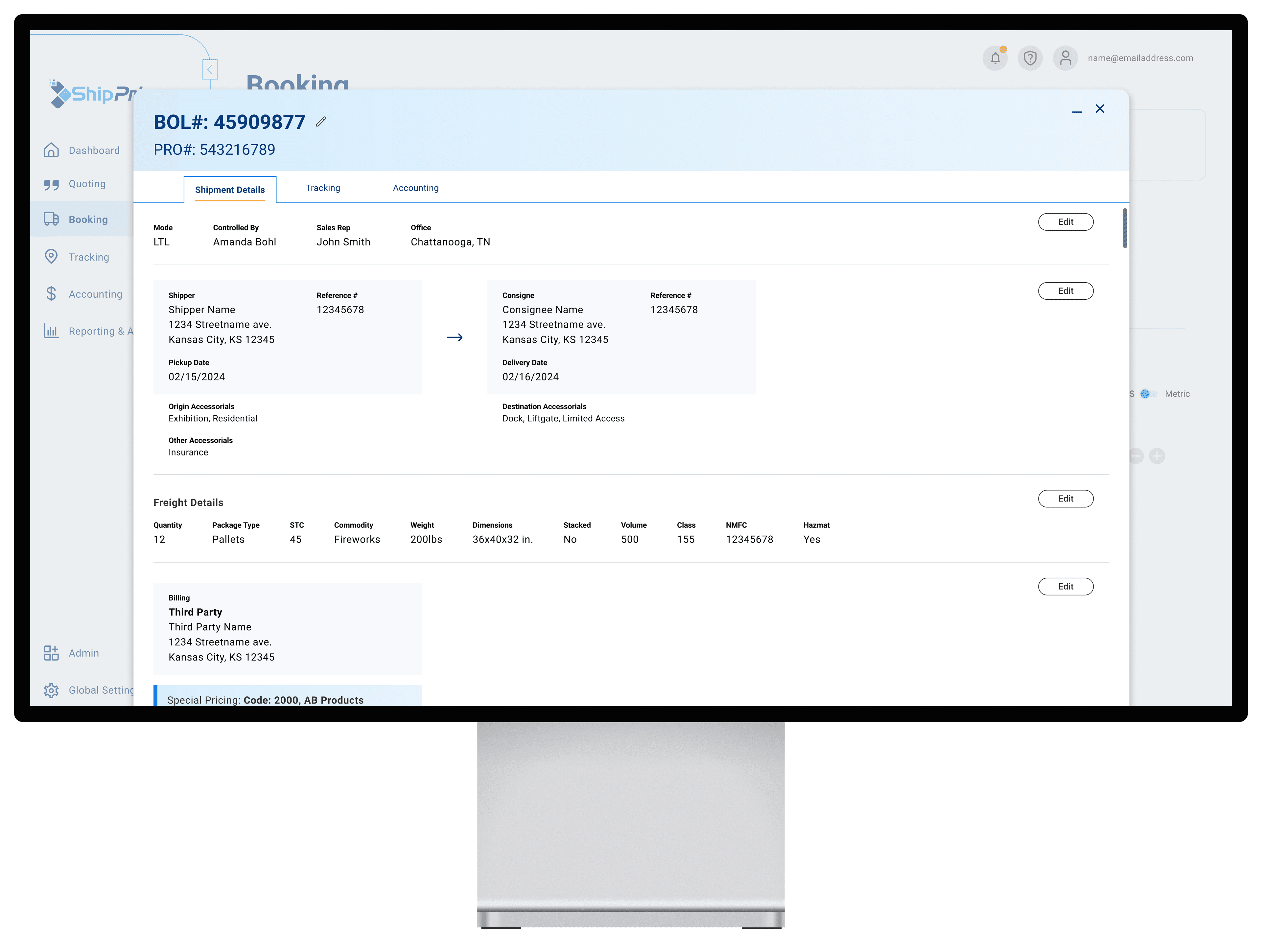
08 / Managing and Tracking Shipments
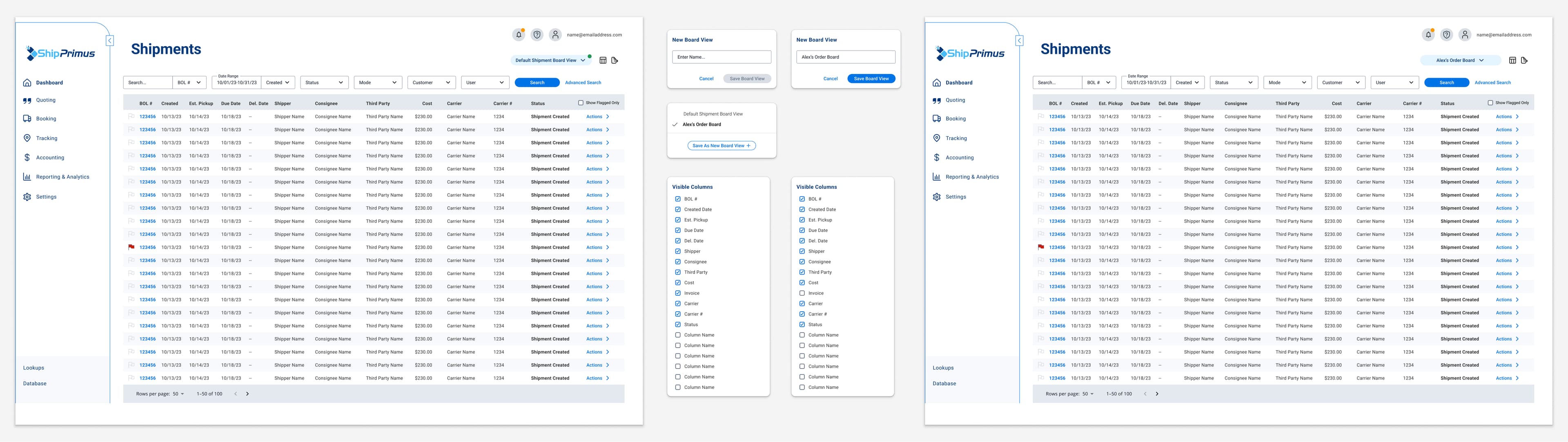
The Shipments page provides a centralized interface for logistics coordinators to monitor and manage shipments. I designed a highly customizable experience allowing users to filter data, save views, and access frequent workflows with one-click for streamlining their tasks. The interface provides an at-a-glance overview of the shipment details, robust filtering capabilities, and the ability to take actions like rescheduling or updating status directly from the main shipments table.
09 / Takeaways
This ground-up product build for a complex enterprise application was an incredible learning experience. Some key takeaways:
I'm proud that Ship Primus is making logistics operations smarter, smoother, and more cost-effective for businesses worldwide. This project exemplified the power of human-centered design for even the most complex enterprise software.